
Quick answer:
There are several free CAD/CAM software options available for CNC machining, including FreeCAD, Fusion 360 (free for personal use), and LibreCAD. However, truly free solutions often come with limitations in toolpath complexity, machine compatibility, and professional support. For production-level CNC work, paid software typically delivers better results, but free tools can work well for prototyping, learning, and light-duty projects.
Many engineers and small workshop owners search for free CAD/CAM solutions when starting out or working on low-budget projects. The reality is that free software exists, but understanding its capabilities and limitations is critical before committing to it for production work. At YPMFG, we frequently help buyers evaluate whether free tools are sufficient or whether upgrading to professional software makes financial sense.
Understanding Free CAD CAM Software Options
Free CAD/CAM software has improved significantly in recent years. Several programs offer viable paths for basic to intermediate CNC machining tasks without upfront licensing costs.
The most common free options include FreeCAD, which is open-source and supports parametric modeling with CAM modules; Fusion 360, which offers a free personal-use license with restricted export and simulation features; and LibreCAD, a 2D drafting tool that pairs with separate CAM solutions. Each option serves different use cases and skill levels.
Choosing between them depends on your project requirements, machine type, and whether you need advanced multi-axis toolpaths or simple 2.5-axis milling operations.
Key Limitations of Free CAD CAM Tools
Free software often restricts features that professional CNC machining demands. Toolpath optimization, adaptive clearing strategies, and high-speed machining cycles are typically locked behind paid tiers.
Other common limitations include restricted file export formats, limited simulation and verification tools, no technical support, and constraints on commercial use. Fusion 360, for example, does not allow STL or STEP export under its free license, which can block downstream manufacturing workflows.
For occasional hobbyist projects, these restrictions may not matter. For production environments where precision, repeatability, and documentation are essential, they can create significant bottlenecks.
When Free CAD CAM Software Makes Sense
Free CAD/CAM tools are a practical choice in several scenarios. Prototyping stages benefit from them because design iterations are frequent and budget constraints are real.
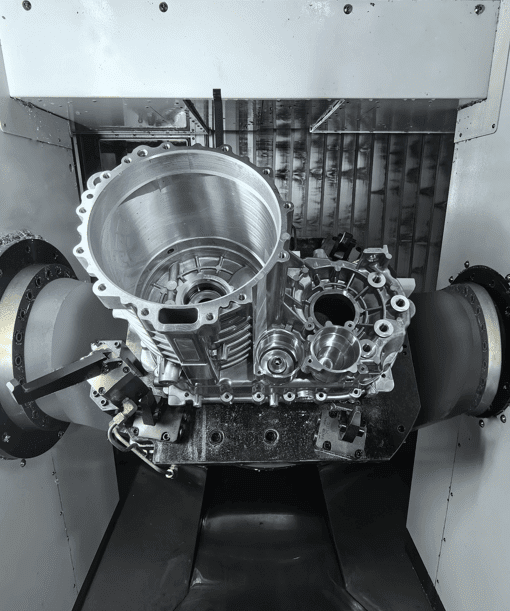
Students and training programs also rely on free software to teach fundamental CAD modeling and basic CNC programming concepts. Small workshops handling one-off parts with simple geometries can often complete projects using free tools without sacrificing quality.
Additionally, companies evaluating whether CNC machining is suitable for a new product may use free software during the initial design phase before deciding to invest in professional tooling.
Cost Comparison: Free vs Paid CAD CAM Software
Free software saves money upfront but may increase hidden costs through longer programming times, trial-and-error toolpath generation, and format conversion workarounds.
How to Evaluate Free CAD CAM Software for Your Needs
Before adopting free CAD/CAM software for any project, assess whether it meets your specific machining requirements. YPMFG recommends checking the following factors first.
Machine compatibility — Verify that the software generates G-code compatible with your CNC machine controller. Not all post-processors are available for free programs.
Material and tool library — Free software often lacks comprehensive material databases and tool catalogs, requiring manual setup that increases programming time.
Part complexity — Simple 2D profiles and basic 2.5-axis pockets are manageable. Complex 3D surfacing, undercuts, and multi-axis contours often exceed free tool capabilities.
Documentation and support — Community forums can help, but they cannot replace engineered support when a program error delays production.
If your projects involve tight tolerances, difficult materials, or high-volume runs, investing in professional CAD/CAM software usually pays for itself through reduced programming time and fewer machining errors.
Common Pitfalls When Using Free CAD CAM Solutions
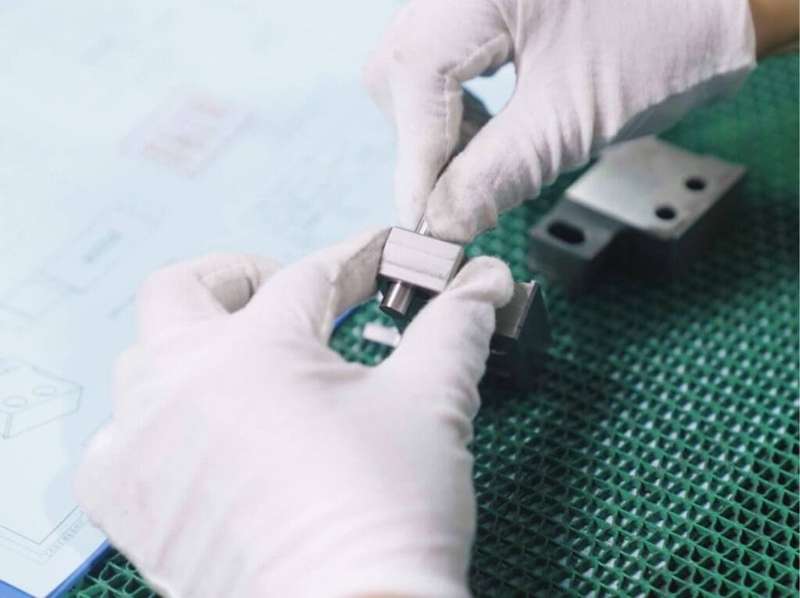
Many users encounter the same problems when transitioning from free to production CNC work. Recognizing these pitfalls early can prevent costly mistakes.
Inadequate toolpath verification is the most frequent issue. Free simulation tools often lack the depth needed to detect collisions, air cutting, or inefficient tool movements. This can lead to scrapped parts, damaged tooling, or even machine crashes.
Another common problem is improper post-processor configuration. Free software may include generic post-processors that do not match your specific machine, resulting in incorrect G-code output. Always validate generated code against your machine manual before running any program.
Users also underestimate the time required to learn free software. While the licensing cost is zero, the learning curve can be steep, especially for those new to both CAD modeling and CAM programming.
What YPMFG Recommends for CNC Buyers
When evaluating CAD/CAM software for your CNC machining needs, consider your actual production requirements rather than focusing solely on licensing cost. Free tools have their place, but they are not a universal solution.
YPMFG supports buyers at every stage, from initial design review to final part delivery. If you are unsure whether free CAD/CAM software can handle your project, send your part specifications to our engineering team for an evaluation. We can assess whether your design is suitable for your chosen software or whether an upgrade would improve outcomes.
We also provide CNC machining services for clients who need precision parts without managing CAM programming internally. Whether you require custom CNC components or prototype machining, our team can help you determine the most efficient path from design to finished part.
Questions Buyers Often Ask About Free CAD CAM Software
Is free CAD CAM software good enough for production CNC machining?
Free software is generally not sufficient for production-level CNC work. It lacks advanced toolpath strategies, comprehensive simulation, and reliable post-processors needed for consistent, high-quality results.
Can I use free CAD CAM software commercially?
Most free programs restrict commercial use or limit export formats. Fusion 360, for example, prohibits exporting STL and STEP files under its free license, which directly affects manufacturing workflows.
What is the best free CAD CAM software for beginners?
FreeCAD is a strong open-source option for beginners because it combines parametric modeling with a built-in CAM workbench. Fusion 360 is also accessible for learning, though its free license has notable restrictions.
Do I need expensive CAD CAM software to get good CNC parts?
Not always. Simple parts with basic geometries can be programmed effectively using free tools. However, complex parts with tight tolerances, difficult materials, or multi-axis requirements benefit significantly from professional software.
How much does professional CAD CAM software cost?
Professional licenses typically range from $500 to over $3,000 per year, depending on the vendor and feature set. Many manufacturers find that reduced programming time and fewer errors offset the licensing cost within months.
Can YPMFG help me choose the right CAD CAM approach?
Yes. You can send your part drawings and specifications to YPMFG for an engineering review. We will assess whether your project can be handled with free software or whether professional tooling and our CNC machining services would deliver better results.
Choosing the Right CAD CAM Approach for Your CNC Projects
Free CAD/CAM software can serve well for learning, prototyping, and simple parts. But as your projects grow in complexity, the limitations of free tools become increasingly costly in terms of time, quality, and risk.
The decision should be based on your actual machining requirements,not on the absence of a licensing fee. A short engineering evaluation can clarify whether free software is adequate or whether investing in professional tools will improve your outcomes.
If you need CNC machining support or want to discuss whether your current CAD/CAM setup is appropriate for your projects, reach out to YPMFG. Send your specifications or drawings, and our engineering team will provide a practical assessment tailored to your needs.