Quick answer:
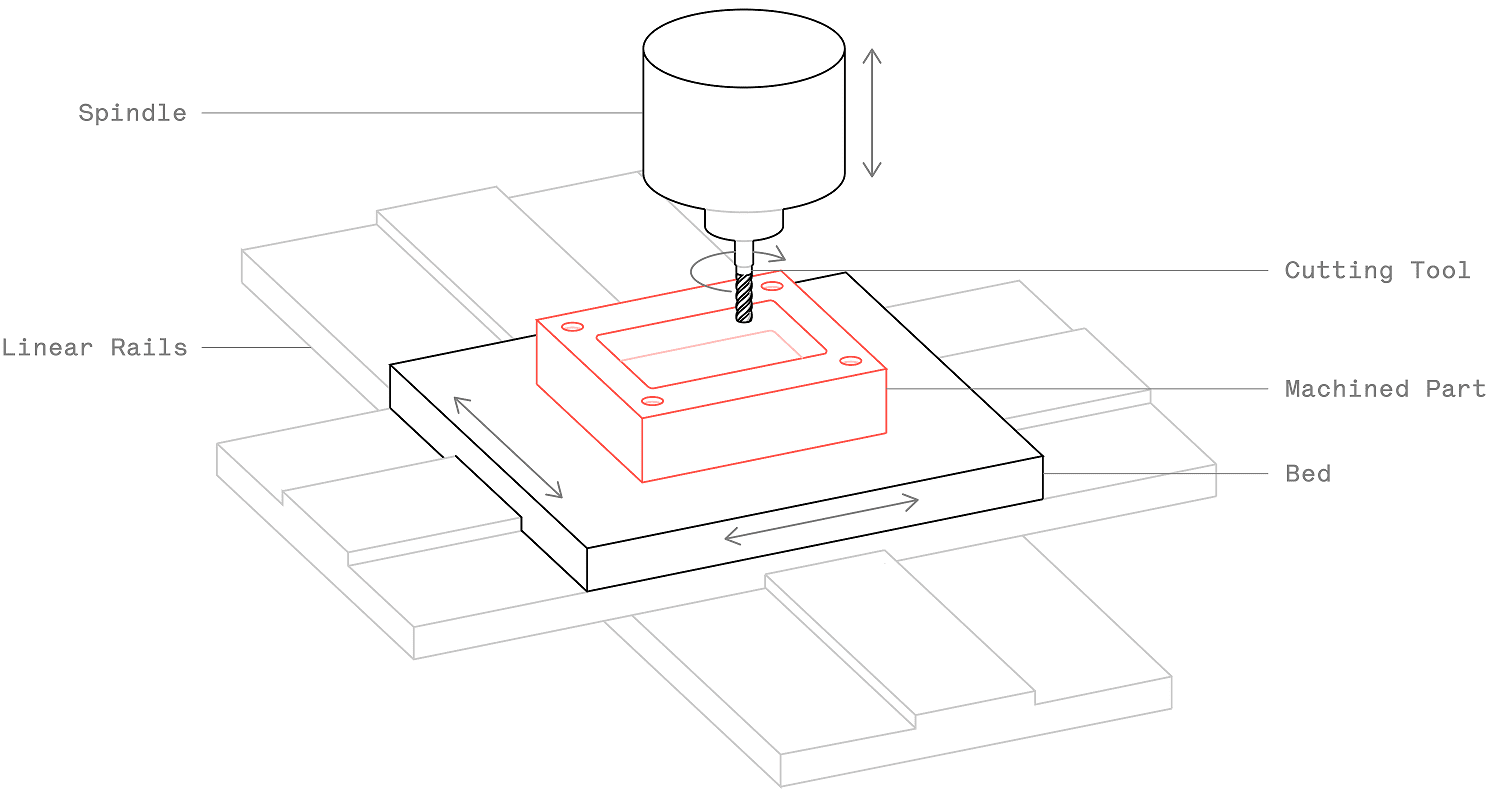
CNC print is a commonly used term for CNC machining when parts are produced directly from digital 3D models, similar to how a 3D printer works but using subtractive methods. Unlike additive printing, CNC print removes material from a solid block to create precise, functional parts. It is ideal for prototypes, end-use components, and low-to-medium volume production where accuracy, material strength, and surface finish matter more than speed. If you need parts that match engineering-grade materials and tight tolerances, CNC print is often the better choice over plastic-based 3D printing.
Not every manufacturing method suits every project. Many engineers and buyers start with 3D printing for speed, then realize the parts lack the mechanical properties or surface quality their application requires. That is where CNC print becomes the practical alternative. It bridges the gap between rapid prototyping and production-grade manufacturing, especially when you need parts in metals or engineering plastics with consistent dimensional accuracy. Whether you are evaluating a single prototype or planning a small batch run, understanding what CNC print actually delivers—and where it falls short—helps you make a more informed sourcing decision.
What Does CNC Print Actually Mean?
The term “CNC print” is not an official industry classification. It is a practical shorthand used by engineers and buyers to describe CNC machining performed directly from a digital CAD file, without manual setup for each part. In essence, it means “print” your design in metal or plastic using a computer-controlled machine.
Unlike additive manufacturing, which builds layers, CNC print cuts away material. The result is a part with higher mechanical strength, better surface finish, and tighter tolerances. For most engineering applications, CNC print is the more reliable method when the final part must function under load or fit into an assembly.
How CNC Print Differs from 3D Printing
The core difference is the process direction. 3D printing adds material layer by layer. CNC print removes material from a solid block. This distinction affects every aspect of the final part.
Comparison Table: CNC Print vs 3D Printing
For parts that require load-bearing capability, precise fits, or smooth surfaces, CNC print is the preferred method. For visual prototypes or non-structural models, 3D printing may be faster and cheaper.
Materials Available for CNC Print
CNC print supports a wide range of engineering materials. This is one of its strongest advantages over additive methods.
Aluminum 6061 and 7075 – Lightweight, machinable, corrosion-resistant. Common for brackets, housings, and structural parts.
Stainless Steel 304 and 316 – High strength, corrosion resistance. Used in medical, food,and marine applications.
Brass and Copper – Good electrical and thermal conductivity. Ideal for connectors and heat sinks.
Steel 1018 and 4140 – High strength and wear resistance. Suitable for shafts, gears, and tooling.
Plastics (Delrin, Nylon, PTFE, PEEK) – Lightweight, chemical-resistant, low friction. Used for bushings, seals, and insulators.
YPMFG supports projects that require these materials and can recommend the best option based on your application environment, load requirements, and budget.
When to Choose CNC Print Over Additive Methods
CNC print is not always the right answer. It is best suited for specific scenarios.
Choose CNC print when:
Tolerance matters – Parts that must fit into an assembly with mating components.
Strength is critical – Load-bearing parts that cannot fail under stress.
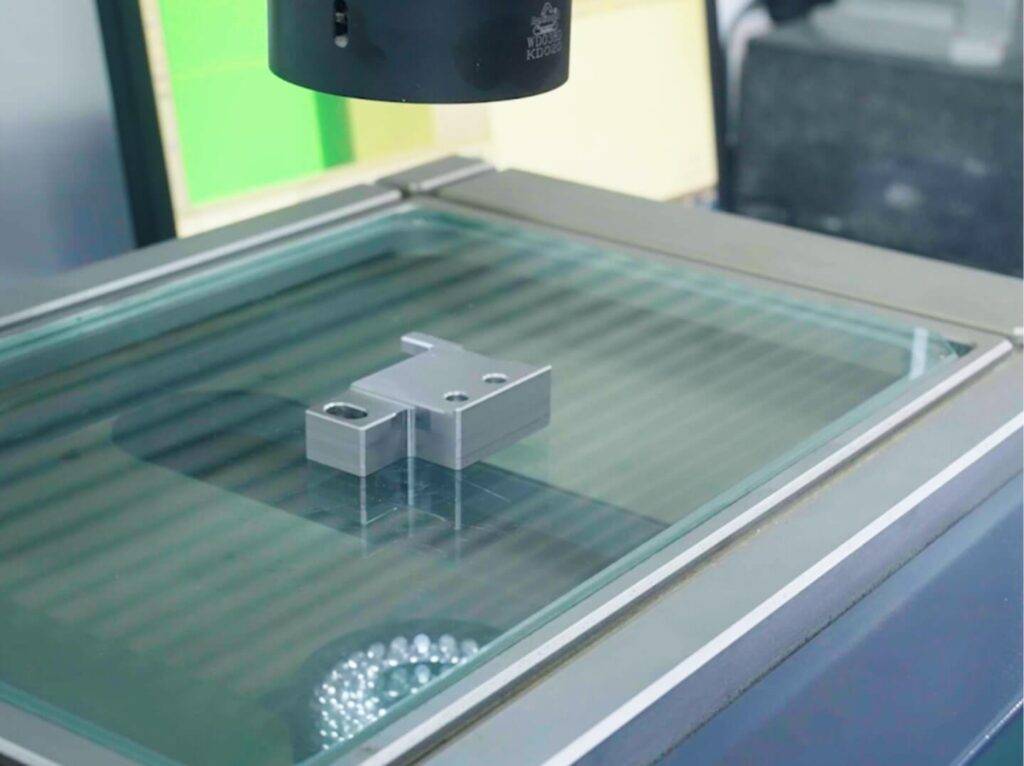
Surface finish is required – Visible parts or those that need sealing, coating, or bonding.
Material properties are non-negotiable – Medical, aerospace, or automotive specifications often require certified materials.
Volume is moderate – For runs of 10 to 1,000 parts, CNC print becomes cost-competitive.
Avoid CNC print when:
Part geometry is extremely complex internally (e.g., lattice structures).
Only one quick visual prototype is needed.
The budget for setup is a hard constraint.
Understanding these boundaries helps you avoid overpaying for unnecessary precision or underspecifying a part that will fail in use.
Key Cost Factors in CNC Print
Cost in CNC print is driven by several variables. Knowing them helps you budget accurately and avoid surprises.
Material cost – Metals cost more than plastics. Specialty grades like PEEK or 316 stainless increase price.
Setup time – Programming and fixturing add a fixed cost per order. Larger batches reduce per-part setup cost.
Part complexity – Deep cavities, thin walls, and tight tolerances increase machining time.
Quantity – Per-part price drops as quantity increases because setup cost is spread.
Surface finishing – Anodizing, bead blasting, or plating adds cost but improves durability.
For accurate pricing, send your CAD file and specification sheet to a machine shop. Many shops, including YPMFG, provide free engineering review and quotes based on your exact design.
Common Questions About CNC Print
Can CNC print produce parts as fast as 3D printing?
No. CNC machining typically takes longer per part because material removal is slower than layer deposition. However, for metal parts, CNC is often the only practical option. Lead times depend on part complexity and material availability.
Is CNC print suitable for low-volume production?
Yes. CNC print is very efficient for runs of 10 to 500 parts. Setup costs are fixed, so the per-part price decreases with volume. It is often more economical than injection molding for low to medium quantities.
What file format is needed for CNC print?
Most machine shops accept STEP (STP) or IGES files for 3D models. DXF or PDF drawings with dimensions and tolerances are also required. Always include material specifications and surface finish requirements.
Can CNC print achieve tolerances tighter than 0.001 inch?
Yes, but it depends on the machine, material, and geometry. Tight tolerances increase machining time and cost. Only specify tolerances your application truly needs.
Does CNC print work for complex internal features?
Internal features like deep holes, undercuts, and threads are possible but may require special tooling. For extremely complex internal geometries, electrical discharge machining (EDM) or additive manufacturing may be better alternatives.
How do I get a quote for CNC print?
You can send your CAD file and specifications to a qualified machine shop. The shop will review the design for manufacturability, recommend material options, and provide a cost estimate and lead time.
Choosing the Right CNC Print Partner
Selecting a CNC print provider is about more than price. You need a partner who understands manufacturing feasibility, material selection, and quality control. A shop that reviews your design before quoting can save you from costly revisions later.
YPMFG supports buyers at every stage of the CNC print process. Whether you need help selecting the right material, verifying tolerances, or comparing surface finishes, the engineering team can provide guidance. Start by sending your CAD file and specification sheet for a free engineering assessment. This step ensures your part is designed for efficient machining and meets your performance requirements.