M03 is the standard CNC G-code command that starts the spindle rotating clockwise (forward). In virtually all CNC controls (Fanuc, Siemens, Haas, etc.), M03 activates the spindle in the clockwise direction, typically used for right-hand cutting tools like end mills and drills. Without a valid M03 command, the spindle will not rotate, and the machine cannot perform cutting operations.
This article provides the complete, actionable guide to using M03 correctly—including syntax, common programming examples, safety rules, and troubleshooting—so you can write error‑free CNC programs that run safely and efficiently.
01What Is M03? The Core Definition
M03 (often written as M3) is an auxiliary function (M‑code) that commands the CNC spindle to rotate clockwise when viewed from above the spindle looking down toward the workpiece. It is one of the three spindle control codes:
M03 – Spindle on, clockwise (forward)
M04 – Spindle on, counterclockwise (reverse)
M05 – Spindle stop
All three codes are modal, meaning once you issue M03, the spindle continues rotating clockwise until an M04, M05, or program end (M30/M02) is encountered.
02Basic Syntax and Program Structure
The standard format for a spindle start block is:
M03 S[spindle speed in RPM]
M03 – Activate clockwise spindle rotation
S – Spindle speed command (required on most controls; omitting S may cause an alarm or zero RPM)
Example – Simple milling operation:
N10 G90 G54 G17    (Absolute positioning, work offset, XY plane)
N20 S1200 M03      (Set spindle speed to 1200 RPM, start clockwise rotation)
N30 G01 X50. Y25. F200. (Linear feed move)
...
N100 M05           (Stop spindle)
N110 M30           (End program)
Important: Always place the M03 command on the same line as the S code or immediately after. On many older controls, M03 alone will not start the spindle if S is missing or placed on a separate block.
03Common Real‑World Scenarios (Based on Shop Floor Experience)
Scenario 1: The Missing M03 – Spindle Doesn’t Spin
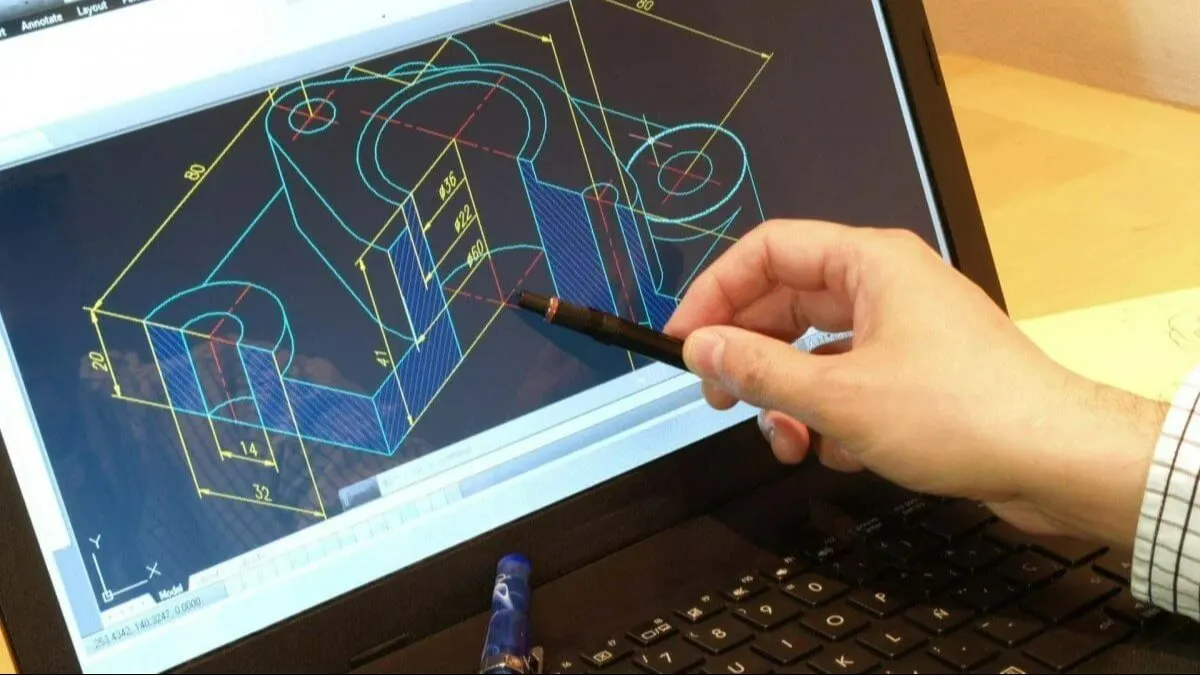
A CNC operator loads a program, presses cycle start, but the spindle remains stationary. The tool rapids to the workpiece and breaks immediately.
Cause: The programmer wrote S1500 M05 (spindle stop) instead of M03. Or they wrote only S1500 without any M‑code.
Solution: Always verify that every tool change block contains a valid M03 (or M04) before the first cutting move.
Scenario 2: Wrong Spindle Direction – Poor Surface Finish
A shop is milling aluminum with a right‑hand spiral end mill. The program uses M04 (counterclockwise). Chips are pulled downward, the cutter overheats, and the surface finish is rough.
Cause: M04 is intended for left‑hand cutters or specific tapping operations.
Solution: Use M03 for over 95% of standard milling and drilling. Reserve M04 only when the tool or operation explicitly requires counterclockwise rotation.
Scenario 3: M03 Without S Value – Spindle Alarm
A new programmer writes N20 M03 on a Fanuc control. The machine alarms out with “SPINDLE SPEED NOT COMMANDED.”
Cause: Fanuc and many other controls require an S word in the same block as M03/M04.
Solution: Combine M03 with S, e.g., N20 M03 S1000. If you need to change speed later, use a new S command while the spindle is already running: N80 S2500 (spindle speed changes without stopping).
04Critical Rules and Best Practices
1. Always Pair M03 with an S Code
Do this: M03 S800
Avoid: M03 alone (except on some older or simplified controls)
2. Spindle Start Before Cutter Engagement
The M03 block must come before any G01, G02, G03, or G00 move that brings the tool into contact with the material. Otherwise, the spindle may not be up to full speed, causing tool breakage or poor cut quality.
Recommended sequence:

→ Tool change (M06)
→ Spindle speed and rotation (M03 Sxxxx)
→ Coolant on (M08)
→ Dwell (G04 P2.) to let spindle reach full RPM (optional but safe)
→ Cutting move (G01…)
3. Stopping the Spindle with M05
At the end of an operation, before a tool change or program end, use M05 to stop the spindle. Example:
N200 G00 Z100. M05   (Retract Z and stop spindle)
N210 M06 T02        (Tool change to next tool)
4. M03 and M04 Are Modal – But Be Careful
Once M03 is active, you don’t need to repeat it after a non‑spindle command. However, after an M05, you must re‑issue M03 (with an S value) to restart the spindle.
5. Spindle Speed Override and Safety
Even with M03 active, the operator can adjust the spindle speed override knob. Always program a safe maximum RPM (S value) that does not exceed the tool’s rated limit or the machine’s maximum.
05M03 vs. M04: When to Use Which?
Rule of thumb: If you are unsure, use M03. More than 99% of standard machining operations use clockwise spindle rotation.
06Troubleshooting Common M03 Errors
Error 1: Spindle does not start, no alarm.
→ Check that the machine is not in “dry run” or “spindle lock” mode. Verify that the chuck clamp (for lathes) is closed.
Error 2: Alarm “M03 without S” on Fanuc / Haas / Siemens.
→ Add an S word in the same block: M03 S1200.
Error 3: Spindle starts but direction is wrong (clockwise instead of counterclockwise).
→ Check program: you wrote M03 but needed M04 for a left‑hand tool. Or the machine’s spindle wiring is reversed (rare – call service).
Error 4: Spindle stops during program execution.
→ Look for an unwanted M05 or M30 earlier in the program. Also check if the program ended prematurely.
07Complete Programming Example (Milling a Pocket)
Here is a short, error‑free sequence that demonstrates M03 in a real operation:
O1000 (POCKET PROGRAM)
N10 G90 G80 G40 G17
N20 T01 M06 (1/2" END MILL)
N30 G54 G00 X10. Y10.
N40 S2500 M03 (SPINDLE ON, 2500 RPM CW)
N50 G43 H01 Z5. M08 (TOOL LENGTH COMP,COOLANT ON)
N60 G01 Z-0.2 F20. (PLUNGE)
N70 G01 X50. F15. (CUT)
N80 G01 Y30.
N90 G01 X10.
N100 G01 Y10.
N110 G00 Z100. M05 (RETRACT, SPINDLE STOP)
N120 M09 (COOLANT OFF)
N130 M30 (PROGRAM END)
08Core Takeaway (Repeat for Emphasis)
M03 is the spindle clockwise command – it must always be paired with an S speed word and placed before any cutting move. Without M03, your spindle stays off. With the wrong direction (M04), you risk tool damage and poor finish. With no S value, most CNC controls will alarm.
09Actionable Recommendations for CNC Programmers and Operators
1. Create a programming checklist that includes: “Every tool change block → M03 Sxxxx before G01/G02/G03.”
2. Use a post‑processor template that automatically inserts M03 with the current S value on the first motion block after each tool change.
3. Simulate your program with a backplotter or CNC simulator that shows spindle state (on/off, direction, speed) before running on the machine.
4. Train operators to recognize the difference between M03 and M04, and to check the spindle direction indicator on the control panel before cycle start.
5. For safety, always include a G04 (dwell) of 1–2 seconds after M03 when using heavy tools, allowing the spindle to reach full RPM before engaging the material.
By following these guidelines, you eliminate one of the most common causes of CNC crashes and tool breakage. Master M03, and you master the first step of every successful machining operation.