
Quick answer: Programming a CNC machine means translating your design into machine-readable instructions, typically using G-code or CAM software. The result determines whether your parts hit tolerance, stay within budget, or come out scrapped. Buyers should evaluate the programming workflow, understand common failure points, and compare solutions before committing to a manufacturing partner.
Choosing the right approach to CNC programming affects part quality, lead time, and total cost far more than most buyers expect. A single wrong toolpath or incorrect offset can waste an entire batch. The difference between a well-programmed run and a problem-filled one often comes down to process discipline, engineering review, and experience with the machine class being used.
YPMFG supports projects at every stage of the programming pipeline, from initial geometry review through final validation. If you are evaluating how to handle programming internally or through a contract manufacturer, this guide breaks down the practical factors you should consider.
G-Code vs. CAM Software: Which Approach Fits Your Project?
Most CNC machining programs fall into two categories. Manual G-code writing gives operators direct control over every movement. CAM software automates toolpath generation from a CAD model and handles complex geometries much faster.
Manual G-code remains useful for simple 2.5-axis operations, quick edits on the machine, or legacy equipment without modern controllers. However, it does not scale well for multi-axis parts, complex surfaces, or tight tolerance stacks.
CAM software such as Fusion 360, Mastercam, or PowerMill handles pocketing, contouring, drilling cycles, and multi-axis toolpaths automatically. The trade-off is setup time, licensing cost, and the need for operators who understand both the software and the machine it drives.
The choice usually depends on part complexity, batch volume, and in-house expertise. YPMFG can recommend a programming approach during the early engineering review based on your drawings and production targets.
The CNC Programming Workflow: Step by Step
A reliable CNC programming workflow follows a clear sequence. Skipping or compressing any step increases the chance of crashes, dimensional drift, or tool breakage.
The process begins with a clean CAD model. Tolerances, surface finish requirements, and material selection must be defined before toolpaths are generated. Ambiguous callouts are the most common source of rework.

Next comes tool selection. Tool diameter, flute count, coating, and reach length all affect feed rates, depth of cut, and chip evacuation. A program written for one tool geometry may not translate safely to another without adjustment.
After toolpaths are generated, collision checking and simulation should be mandatory. Many preventable crashes occur because operators skip virtual verification or rely on outdated simulation settings.
Finally, the program should be proven on the target machine, preferably with an initial air cut or reduced-speed run. This step confirms that offsets, coordinate systems, and workholding align with the programmed paths.
Common Programming Mistakes That Increase Scrap and Downtime
The most frequent errors do not come from incomplete knowledge. They come from shortcuts taken under schedule pressure.
Incorrect tool offset values cause immediate dimensional failure. A single Z-offset error can ruin a part before the first cut completes. Work coordinate misalignment produces the same result across the entire batch.
Aggressive feed and speed settings increase cycle time risk more than they save. When operators chase speed without validating chip load, tool wear accelerates and surface finish deteriorates.
Poor toolpath strategy often shows up as excessive air cutting, inconsistent stock removal, or tool deflection marks. These mistakes are rarely visible in simulation if the verification settings do not match real machine dynamics.
Ignoring workholding interference is another costly error. A program may look correct on screen while the tool holder, chuck, or fixture will physically collide during execution.
Hidden Costs Buyers Often Miss When Evaluating Programming Options
Programming cost is not just about software licenses or operator hourly rates. The real expense often hides in indirect losses.
Reprogramming delays push delivery dates later, especially when parts require multiple setup changes or when engineering feedback loops are slow. Each iteration consumes machine time and engineering attention.
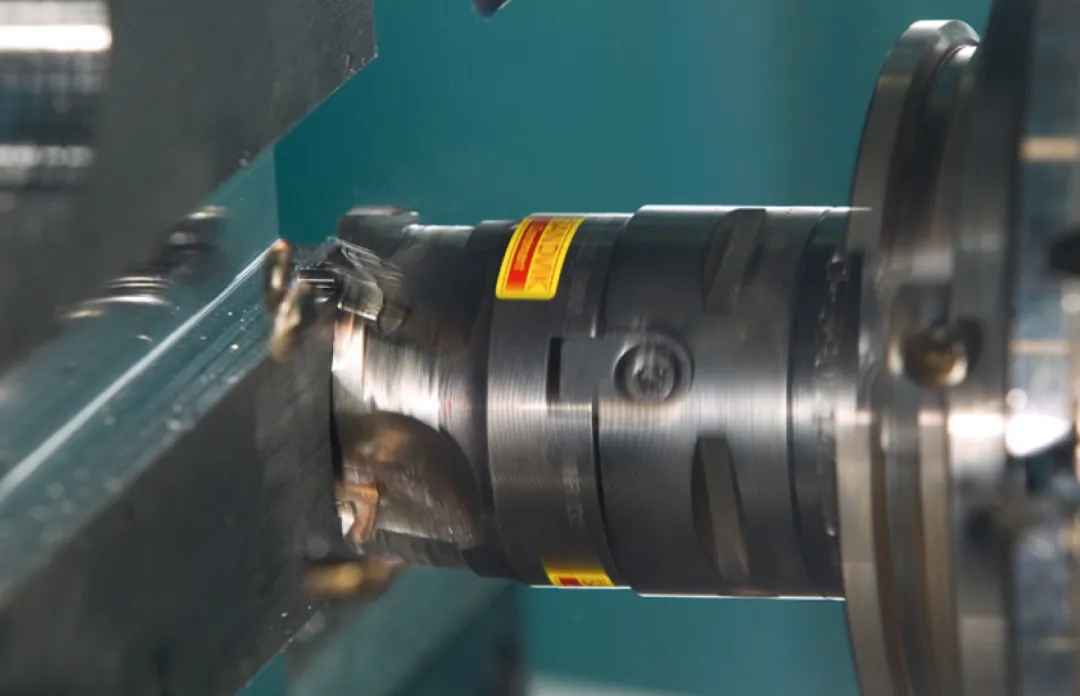
Material scrap from unverified programs can be significant. A single bad run on an expensive alloy or a near-net-shape forging can erase the margin on the entire order.
Poor program structure makes future revisions difficult. Inconsistent naming, missing comments, and nested subroutines create confusion during handoff or when a second shift takes over the job.
These factors mean that low upfront programming cost can mask higher total cost later. Buyers should evaluate the full process, not just the hourly rate quoted for programming labor.
How to Evaluate a Programming Partner or In-House Capability
If you are deciding between handling CNC programming internally and outsourcing it,use these practical criteria.
Check whether the team reviews drawings before programming begins. Early engineering feedback prevents incorrect assumptions about stock size, fixturing, and machining sequence.
Verify that collision simulation is part of the standard workflow. Programs that skip virtual verification carry unnecessary risk, especially on multi-axis machines or with complex fixtures.
Confirm that tool libraries are maintained and updated. An outdated library leads to incorrect insert choices, wrong reach calculations, and inconsistent performance across jobs.
Ask about the revision and approval process. Clear change control ensures that program updates are documented, tested, and released to the correct machine version.
YPMFG provides engineering evaluation and program validation as part of its standard CNC parts manufacturing service. Buyers can submit drawings for early feedback before committing to production.
Frequently Asked Questions About CNC Programming
Buyers usually have a small set of practical concerns before starting a new program or switching partners. The following questions cover the issues that most often affect timeline and cost.
Can a CNC operator program without formal CAM training?
Yes for simple parts. Most routine prismatic jobs can be handled with basic G-code knowledge and machine familiarity. Complex 3D contours, 5-axis work, or optimized multi-step programs usually require dedicated CAM training and practice.
Is G-code still relevant with modern CAM software?
It remains relevant as a debugging and editing tool. Operators often need to modify canned cycles, adjust offsets, or fix minor path errors directly on the controller. Understanding G-code improves troubleshooting speed and reduces dependency on external programming support.
How long does it take to verify a new CNC program?
Verification time varies with part complexity. Simple 2.5-axis programs may need only a quick simulation check. Multi-axis or high-precision programs often require full collision verification, reduced-speed proof runs, and dimensional inspection before full production release.
What should buyers check before approving a CNC program?
Buyers should confirm that tolerances are achievable, toolpaths avoid unnecessary air cuts, workholding is safe, offsets match the setup drawing, and simulation results align with the intended process. When in doubt, a short engineering review can catch issues early.
Choosing the Right Programming Approach for Your Next Job
The most effective CNC programming decisions come from matching the method to the part, not from picking the trendiest tool. Simple parts benefit from fast, straightforward workflows. Complex parts require disciplined simulation, careful tool selection, and structured verification.
Buyers should prioritize clarity in drawings, realistic process planning, and consistent engineering review. These factors reduce rework, protect schedule, and keep the true cost of programming in check.
If you are preparing a new job and want to compare programming options, YPMFG offers engineering review and program evaluation support. You can send your specifications to YPMFG for feedback, request a detailed quote, or discuss how your current programming process might be improved.