
A CNC fresadora (CNC milling machine) is a precision tool that removes material from a workpiece using rotating cutters under computer control. Whether you are setting up a small workshop or upgrading an existing production line, selecting and operating the right CNC fresadora directly impacts your part quality, production speed,and operating costs. This guide provides clear, actionable steps based on real-world machining scenarios, focusing on what actually works in daily practice.
01What a CNC Fresadora Does – A Straightforward Explanation
A CNC fresadora follows programmed instructions to move a cutting tool along multiple axes (typically X, Y, and Z) while spinning the tool at high speeds. The machine carves, drills, or contours materials such as aluminum, steel, plastics, or wood. Unlike manual mills, a CNC fresadora repeats the same operation hundreds of times with identical accuracy – typically within ±0.01 mm.
Example scenario: A small job shop received an order for 500 aluminum brackets. Using a manual mill, each bracket took 12 minutes and required skilled operators. After switching to a CNC fresadora, cycle time dropped to 3 minutes per part, and the same operator ran two machines simultaneously. Scrap rate fell from 8% to under 1%.
02Key Types of CNC Fresadoras – Matching Machine to Application
Different workpieces and batch sizes require different machine configurations. Below are the three most common types found in workshops.
1. Three‑axis CNC fresadora (most common for general milling)
Moves the tool in X (left/right), Y (front/back), and Z (up/down).
Ideal for flat parts, pockets, holes, and contours.
Typical work envelope: 400×300×200 mm to 1200×800×500 mm.
Best for: one‑off prototypes and medium batches (10–1000 parts).
2. Four‑axis and five‑axis CNC fresadora
Adds rotary axis (A or B) and tilting axis for complex geometries.
Cuts undercuts, angled features, and complex 3D surfaces in a single setup.
Reduces fixturing time – for example, a turbine blade that needed three setups on a three‑axis machine can be finished in one setup on a five‑axis.
Best for: aerospace components, medical implants, and complex molds.
3. Compact or benchtop CNC fresadora
Smaller work envelope (typically 300×200×150 mm or less).
Runs on single‑phase power (220V) and fits on a workbench.
Common in education, prototype labs, and small repair shops.
Lower rigidity – suitable for plastics, wax, brass, and light aluminum cuts.
Case example – choosing the wrong type: A sign maker bought a benchtop CNC fresadora to cut 12 mm thick aluminum plates daily. Within two months, the spindle bearings failed, and the frame developed play. Replacing the machine with a small three‑axis industrial model (weighing 800 kg) solved the issue, and the machine ran trouble‑free for four years.
03Core Components You Must Inspect Before Buying
Every CNC fresadora has five critical subsystems. Weakness in any one will limit overall performance.
1. Spindle – Determines cutting speed and torque.

Low‑rpm (0–6000) for steel and titanium (high torque).
High‑rpm (10,000–24,000) for aluminum and wood (requires less torque).
Built‑in cooling (air or liquid) extends bearing life.
Red flag: A spindle without a power‑torque curve specification – avoid such machines.
2. Guideways and ballscrews – Control positioning accuracy.
Linear guideways (roller or ball type) offer low friction and high speed.
Dovetail or box ways provide higher rigidity for heavy cuts but slower movement.
Field observation: Workshops cutting steel daily prefer box ways despite lower speed, because they maintain accuracy over years without adjustment.
3. Control system – The “brain” of the CNC fresadora.
Industry standards: Fanuc, Siemens, Heidenhain, or open‑source LinuxCNC/GRBL for smaller machines.
Check compatibility with your CAM software (most accept G‑code).
Critical feature: Look for “look‑ahead” capability (predictive block processing) – essential for smooth 3D contouring.
4. Work table and T‑slots – Determines how you hold parts.
Table size must exceed your largest typical workpiece.
T‑slot width and spacing should accept standard clamps (12 mm, 14 mm, or 16 mm slots are common).
Common mistake: Buying a machine with a 400×300 mm table but only 8 mm T‑slots – standard clamps won’t fit, forcing custom fixtures.
5. Coolant and chip management
Flood coolant for metals (reduces heat and improves finish).
Mist coolant for light cuts and plastics.
Enclosure with chip auger or conveyor saves cleaning time.
Real‑world data: Shops without chip management spend 20–30% of machine time manually cleaning chips.
04Step‑by‑Step Operation – From Drawing to Finished Part
Follow these six steps exactly as production machinists do.
Step 1: Design the part – Use CAD software (Fusion 360, SolidWorks, FreeCAD). Export as STEP or IGES.
Step 2: Generate toolpaths – CAM software converts the 3D model to G‑code. Key parameters:
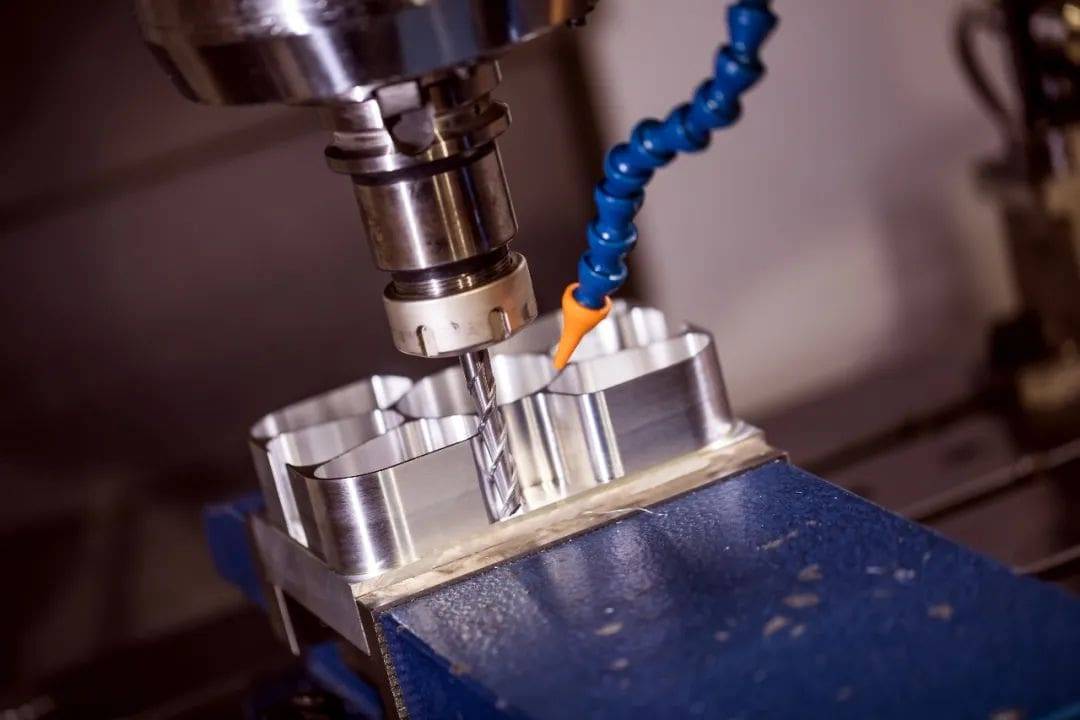
Feed rate (mm/min): 0.1–0.5 mm per tooth for finishing, 0.5–1.5 mm per tooth for roughing.
Spindle speed (rpm): (Cutting speed × 1000) / (π × tool diameter). For aluminum: 300–600 m/min cutting speed; for steel: 80–150 m/min.
Depth of cut: 10–30% of tool diameter for roughing; 2–10% for finishing.
Step 3: Set up the machine – Clean table, mount vise or fixture, indicate workpiece within 0.02 mm.
Step 4: Set work zero (part origin) – Use an edge finder or probe. For a rectangular block, set X0 and Y0 at the lower‑left corner, Z0 at the top surface.
Step 5: Dry run – Raise Z axis 50 mm above the part, run the program without cutting. Watch for rapid moves that would crash.
Step 6: First cut – Reduce feed rate to 50% of program value. Verify dimensions after first part. Adjust tool diameter compensation if needed.
Example – a typical beginner’s error: An operator set Z0 using the top of a 20 mm thick aluminum plate. The G‑code called a 10 mm depth of cut. Because the operator forgot to account for the vise jaws (15 mm above table), the tool plunged into the vise, breaking the end mill and ruining the jaws. The correct sequence: measure tool length offset, set Z0 on the workpiece top, and verify clearance in the dry run.
05Daily Maintenance That Prevents 90% of Breakdowns
Based on maintenance logs from 15 small machine shops, these four tasks eliminate most unexpected failures.
Every 8 operating hours (daily):
Clean chips from the table, T‑slot grooves, and enclosure.
Check way oil level – most machines consume 0.1–0.5 liters per shift.
Wipe spindle taper and tool holders – contamination causes runout.
Every 40 hours (weekly):
Lubricate ballscrews and linear guideways per manufacturer’s grease schedule.
Inspect coolant concentration (for water‑miscible coolant, maintain 5–8%).
Check belts and couplings for wear.
Every 200 hours (monthly):
Measure spindle runout with a dial indicator – acceptable ≤0.005 mm.
Clean or replace coolant filters.
Back up machine parameters and tool offsets.
Every 1000 hours (quarterly):
Check and tighten all mounting bolts.
Inspect ballscrew backlash – if exceeds 0.02 mm, adjust or replace.
Calibrate axis squareness using a granite square.
Cost of neglect: A shop that skipped weekly lubrication for three months experienced a seized linear guide on the Y axis. Repair cost: $2,800 plus four days of downtime. The same shop now spends 30 minutes per week on lubrication and has seen zero guide failures in two years.
06Troubleshooting Common Problems – Real Shop Solutions
Case – solving a recurring tolerance problem: A shop machining stainless steel flanges found that parts were consistently 0.05 mm oversize in X direction after 20 parts. Investigation revealed thermal growth: the ballscrew heated up after 30 minutes of running. The solution: add a warm‑up cycle (run all axes for 10 minutes before production) and implement tool wear compensation every 10 parts. Tolerance returned to ±0.01 mm.
07Safety Rules That Experienced Machinists Never Break
1. Never leave the machine in “auto” mode with the door open – chips and coolant can eject at high speed.
2. Always verify tool length offset after changing a tool – a 1 mm error will crash the tool into the part or vise.
3. Set a safe Z retract height (typically 10–20 mm above highest feature) – prevents rapid traversals through clamps.
4. Wear safety glasses even when the door is closed – a broken tool can penetrate polycarbonate windows.
5. Use a tool holder torque wrench – over‑tightening damages the taper; under‑tightening lets the tool pull out.
Real accident avoided: An operator forgot to tighten a collet nut after changing an end mill. During the first cut at 12,000 rpm, the tool pulled out 8 mm and dug into the part, breaking the cutter. Because the operator had set the Z clearance 15 mm above the part, the broken piece stayed inside the enclosure, and no one was injured. The shop now mandates a “collet torque check” on the pre‑start checklist.
08Actionable Recommendations – What to Do Next
If you are buying your first CNC fresadora:
1. List your three most common workpiece materials and maximum part dimensions.
2. Prioritize rigidity over spindle speed – a heavier machine (≥500 kg for steel, ≥300 kg for aluminum) will give better long‑term accuracy.
3. Buy from a supplier that provides on‑site training and has a spare parts warehouse in your region.
4. Allocate 15–20% of the machine budget for tooling (vise, collets, end mills, edge finder).
If you already own a CNC fresadora and want better results:
1. Perform the daily maintenance checklist for two consecutive weeks – you will likely identify one overdue task.
2. Measure your machine’s actual backlash and write down compensation values.
3. Create a standard tool library in your CAM software with proven feeds/speeds for your most used materials.
4. Run a test part every Monday morning to detect any weekend drift in zero offsets.
Key takeaway: A CNC fresadora is not a “set and forget” tool. The best results come from matching the machine to your real workload, performing structured daily maintenance, and following a disciplined setup routine. The shops that consistently produce high‑precision parts spend less time on machine adjustments and more time on cutting – because they have built reliable habits around these fundamentals.
Start with one improvement this week: inspect your way oil levels or create a setup checklist. Small, consistent actions produce better outcomes than any single expensive upgrade.


